Billing & GST

Billing that takes seconds, not minutes

Take an order, print the bill and the KOT, take cash, UPI or card, and close. GST is worked out for you on every bill.

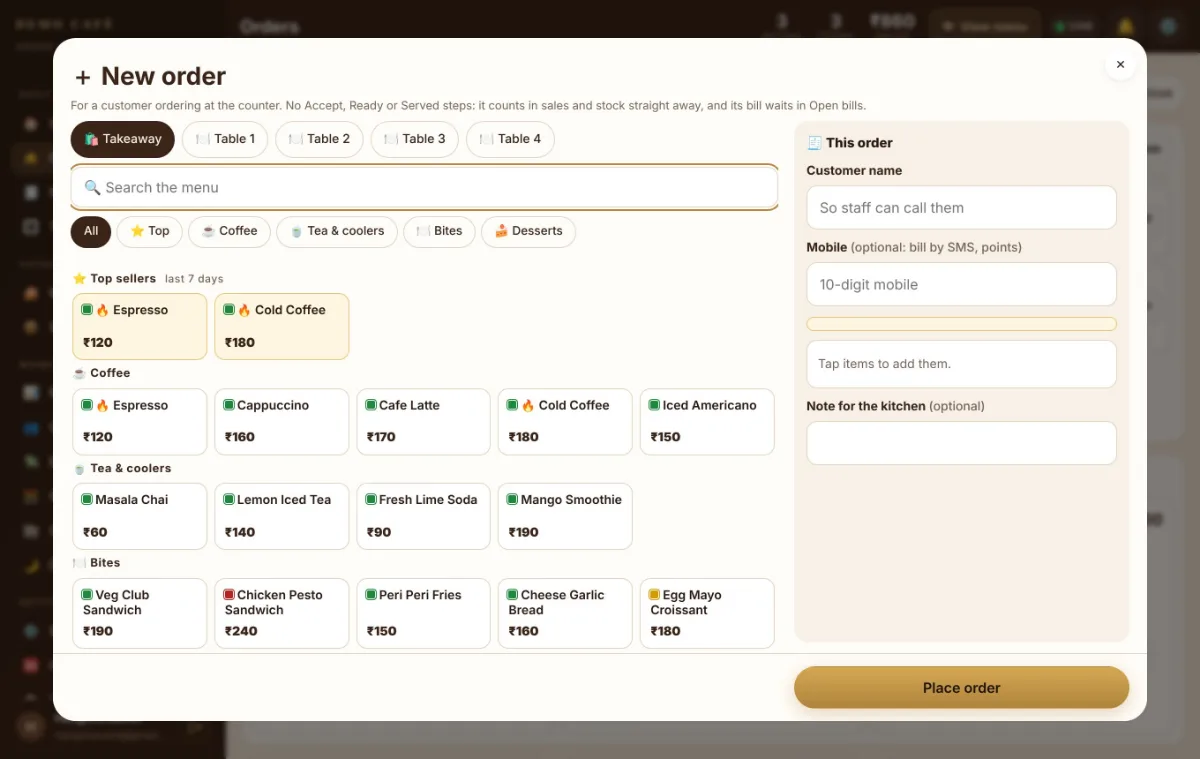
Hangova New order screen with menu and cart

How it works

Three steps, easy for any staff

  1. 1

    Take the order

    Tap + New order, pick Takeaway, Dine-in or a table, tap the items. Search, sizes and add-ons are one tap away.

    New order
  2. 2

    Print bill and KOT

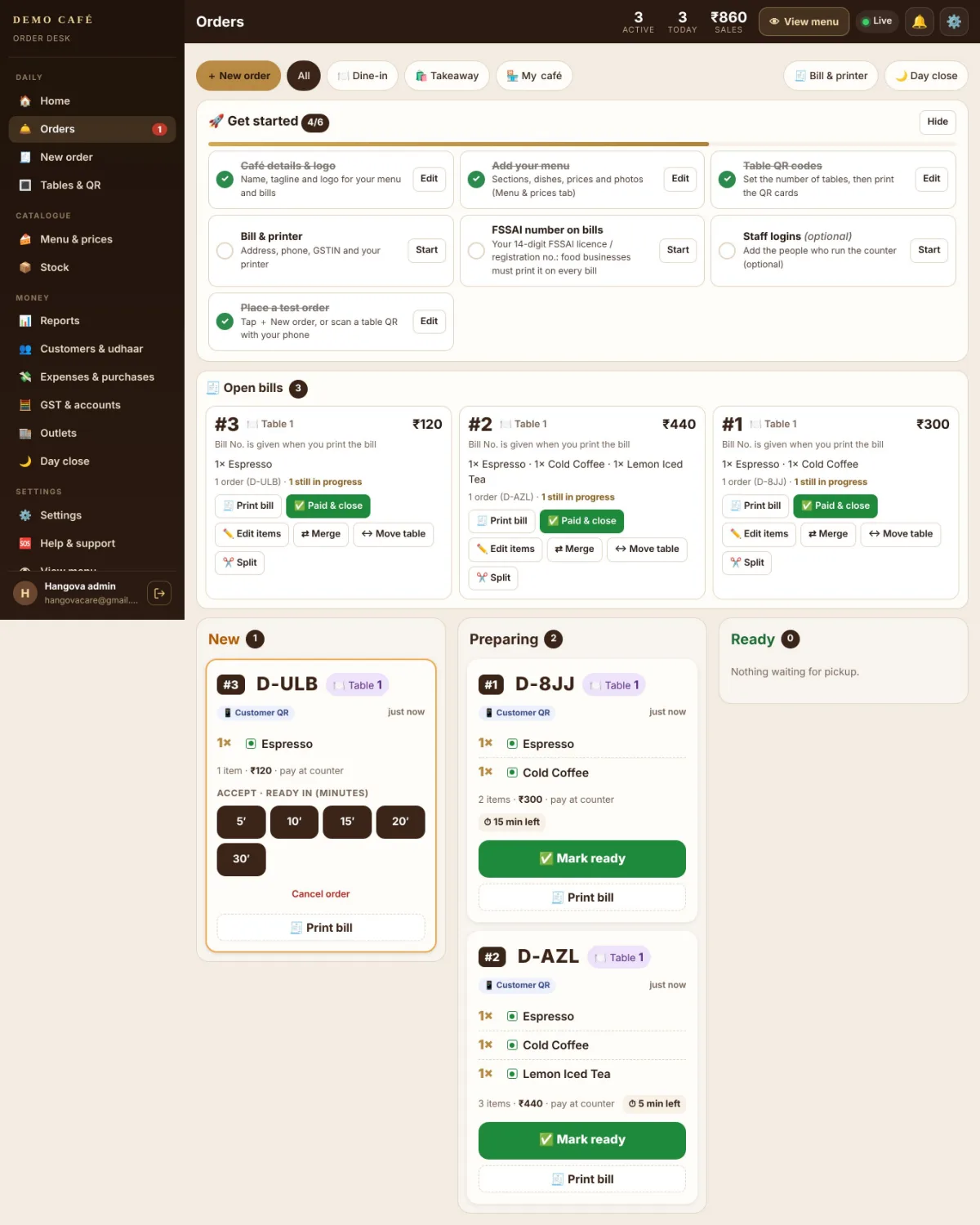
    The KOT goes to the kitchen. For self-service counters, the customer's bill and the KOT print together with a cut in between.

    Orders board
  3. 3

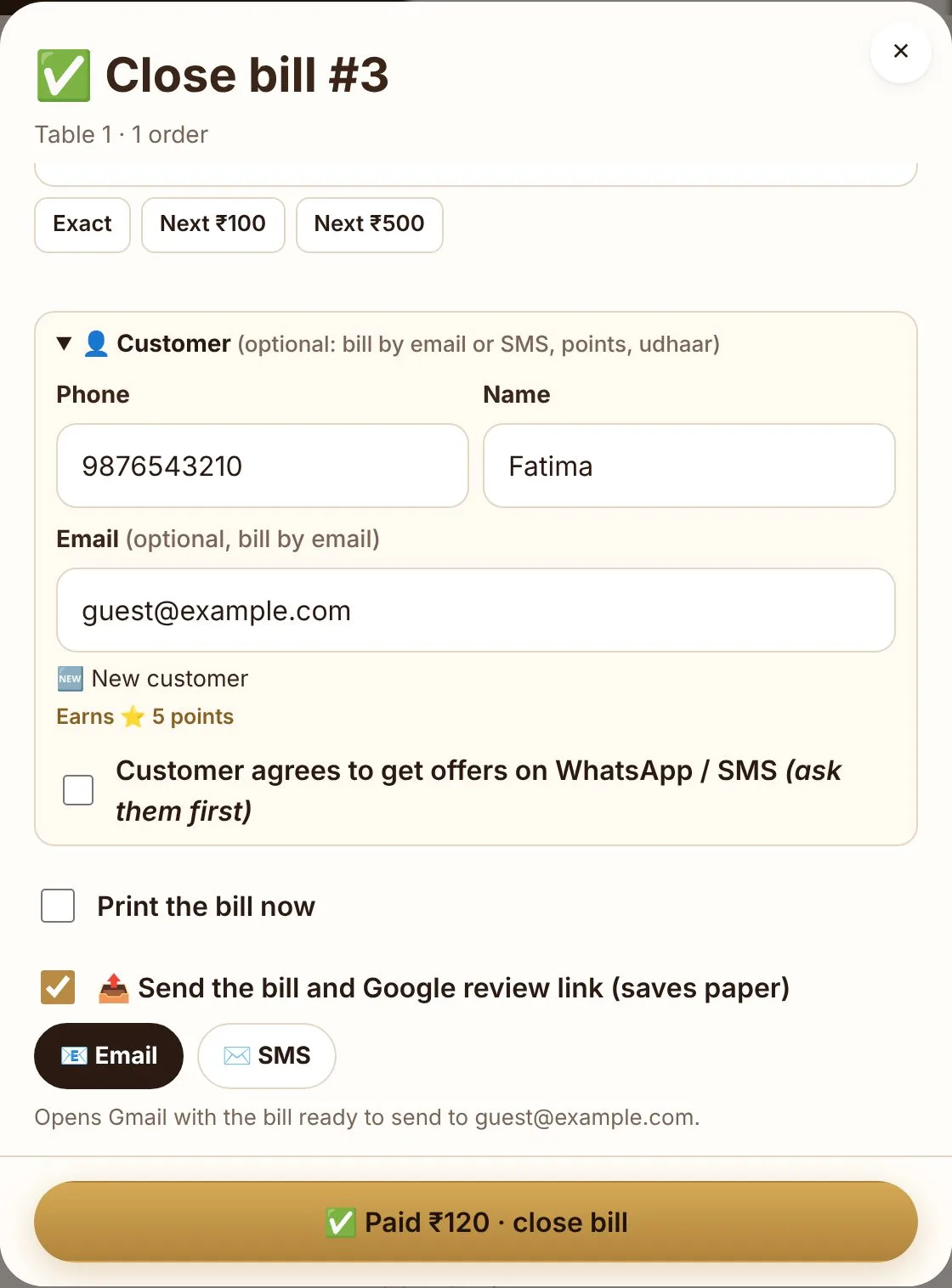
    Take payment and close

    Cash, UPI, card, split payment or udhaar. Tap Paid & close and the sale is in your reports at once.

    Close the bill

Features

Everything in Billing & GST

GST done for you

GST rate and HSN per item, CGST/SGST or IGST, GST tax invoices with your GSTIN.

UPI QR on every bill

Customers scan and pay. Pay-at-table from the table QR too.

Bill + KOT in one print

Self-service mode: Takeaway or Dine-in, the bill and KOT come out together, token called on the TV.

Split, merge, move

Split a bill between friends, merge two tables, move guests to another table.

Bills on WhatsApp

Send the bill to the customer's WhatsApp, with your logo and a review link.

Mistake-proof

Staff can't delete bills. Removed items are recorded with a reason, so the owner sees everything.
Why Hangova

More than a billing machine

  • No billing machine needed: works on the phone, tablet or laptop you have
  • Any Bluetooth, USB or Wi-Fi printer, 58 mm, 80 mm or A4
  • Unlimited counters and staff phones on one plan
  • Every bill shows on the owner's phone the same second

Compare Hangova with typical POS software →

Questions

Which printers work?

Any 58 mm or 80 mm thermal printer over Bluetooth, USB or Wi-Fi, and A4/A5 office printers for GST invoices. We help you connect it during setup.

Can I give a discount or service charge?

Yes: item or bill discounts, coupons, happy hours and a service charge you can switch on or off.

What if the internet goes?

Offline billing is coming soon: bills are saved on the device and sync when the internet is back. Until then, a phone hotspot keeps you billing.

Works together

One app, every part of your business

See Hangova working with your own menu

A free 15-minute demo, at your place in Bengaluru or on a video call. We set everything up for you in 2 to 3 days.