01
Always improving
New features every month, added free. You get them the moment they're ready, no reinstall.
Running daily at Therapy Desserts & More, Bellandur
Made for cafésrestaurantscloud kitchensresto-bars & pubshardware & retail stores
Orders, billing, GST, stock and staff on the phone you already have.
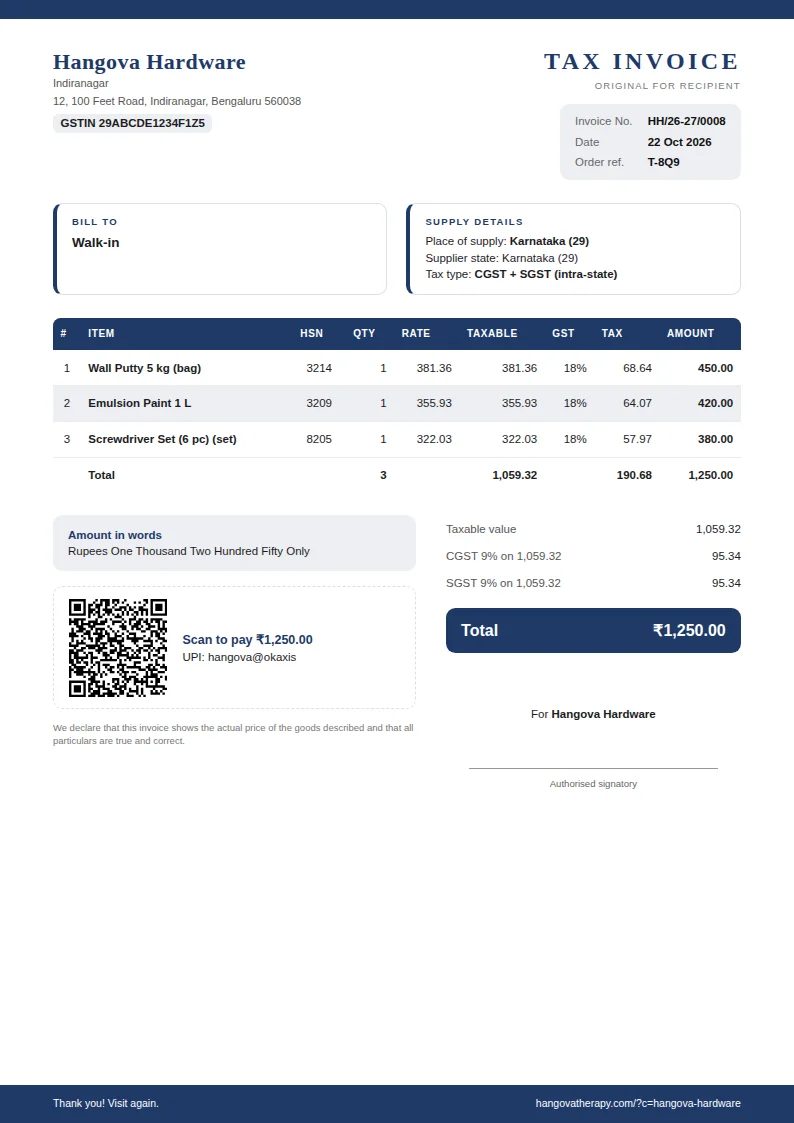
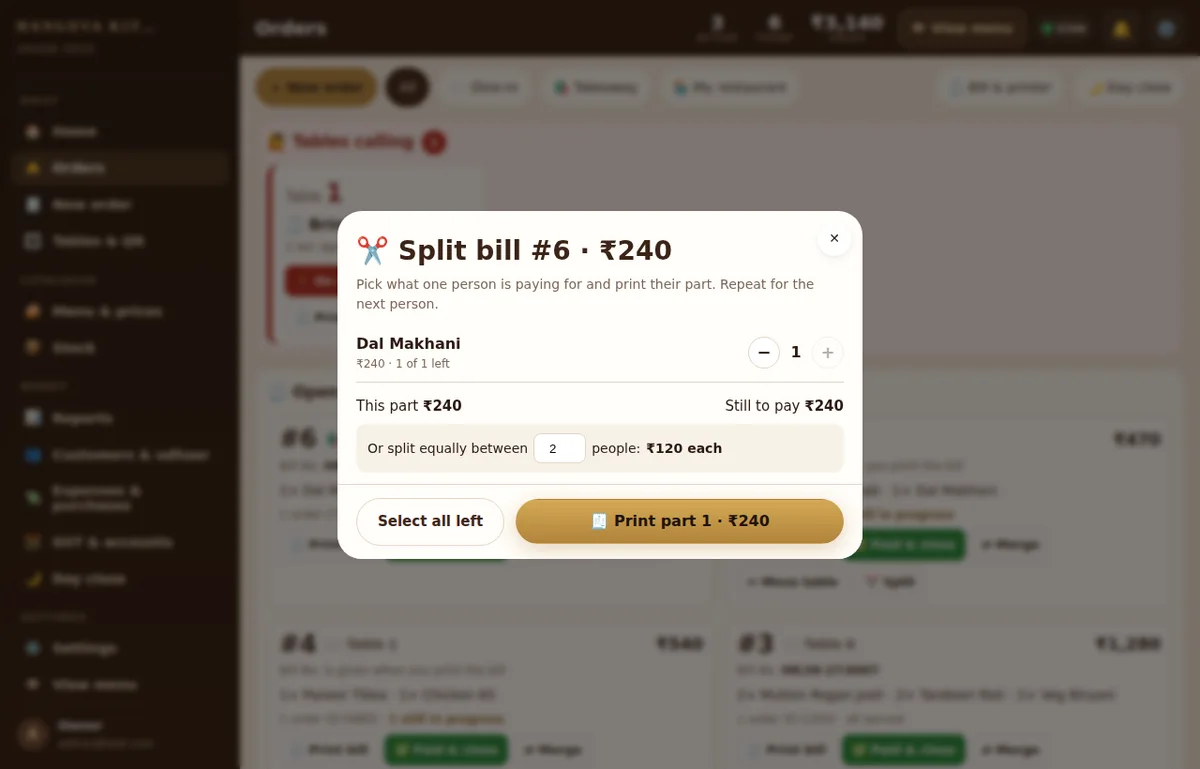
Counter bills in seconds, GST tax invoices with HSN, UPI QR, split bills and bills sent by email or SMS.
How billing works →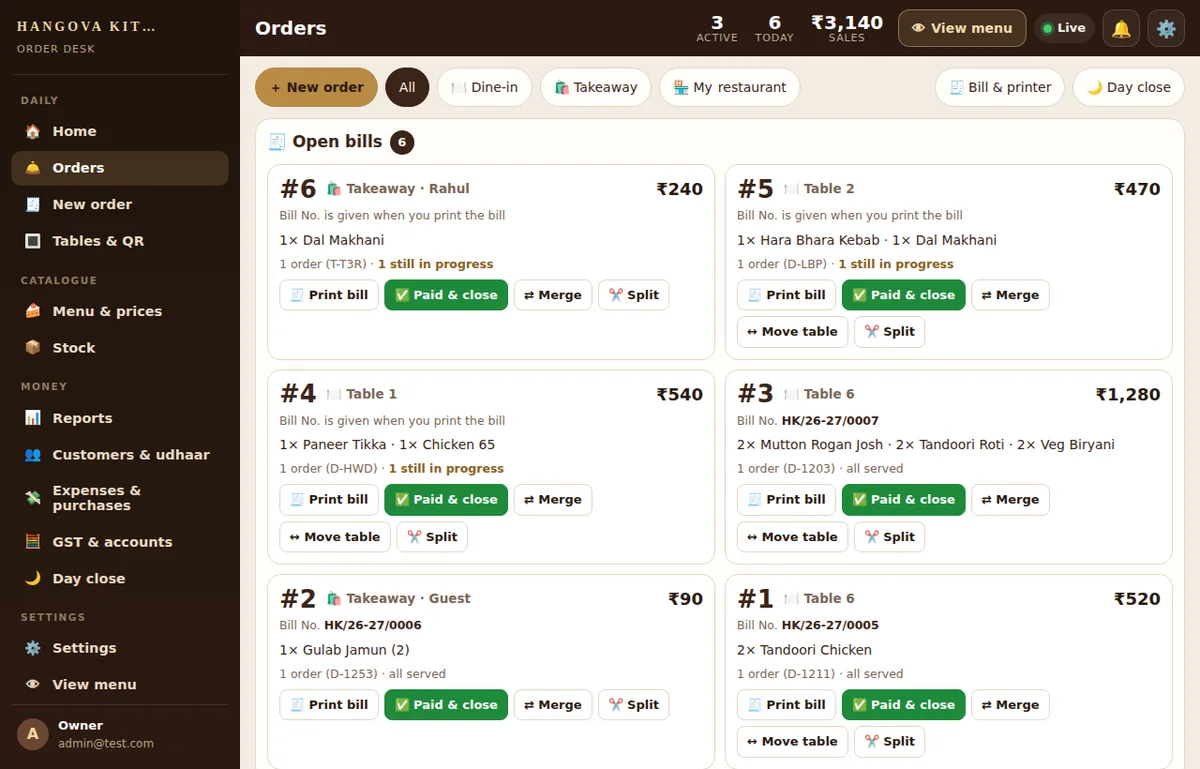
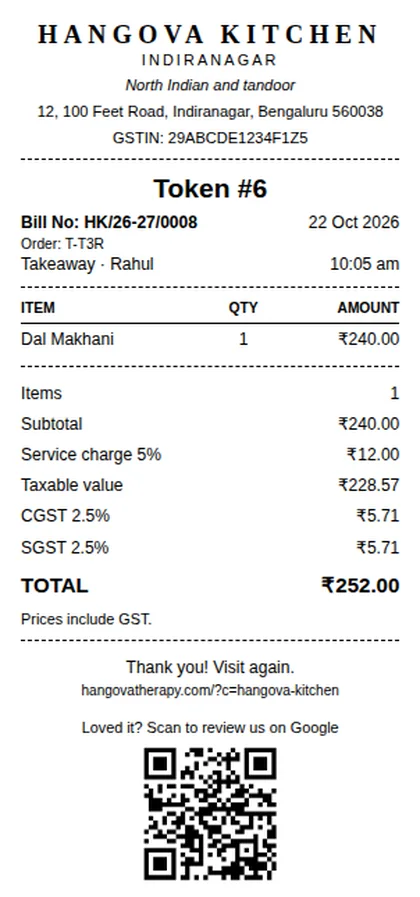
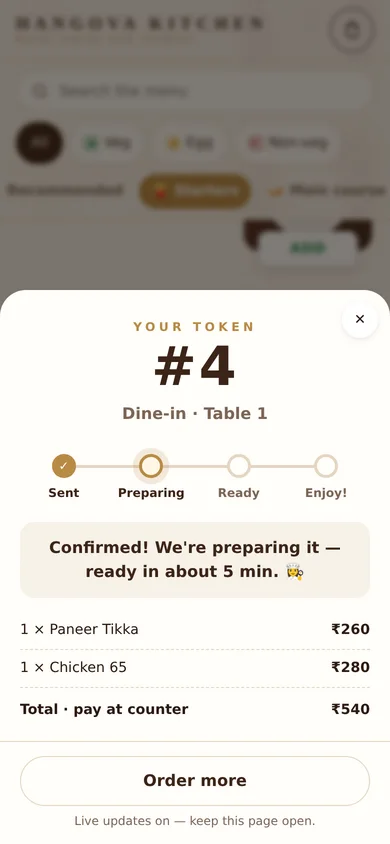
Guests scan the table QR, order and call staff. Orders ring on every staff phone. No app to download.
How QR ordering works →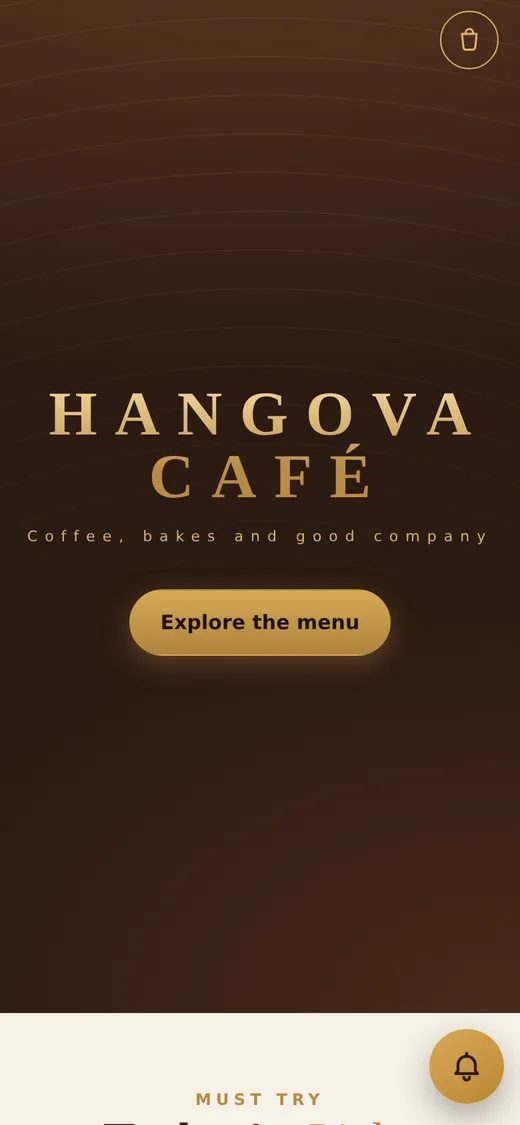
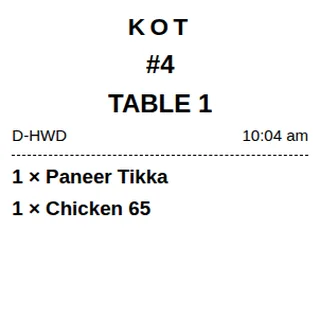
KOT printing, a kitchen screen on any tablet and a token TV that tells customers when their order is ready.
How the kitchen screen works →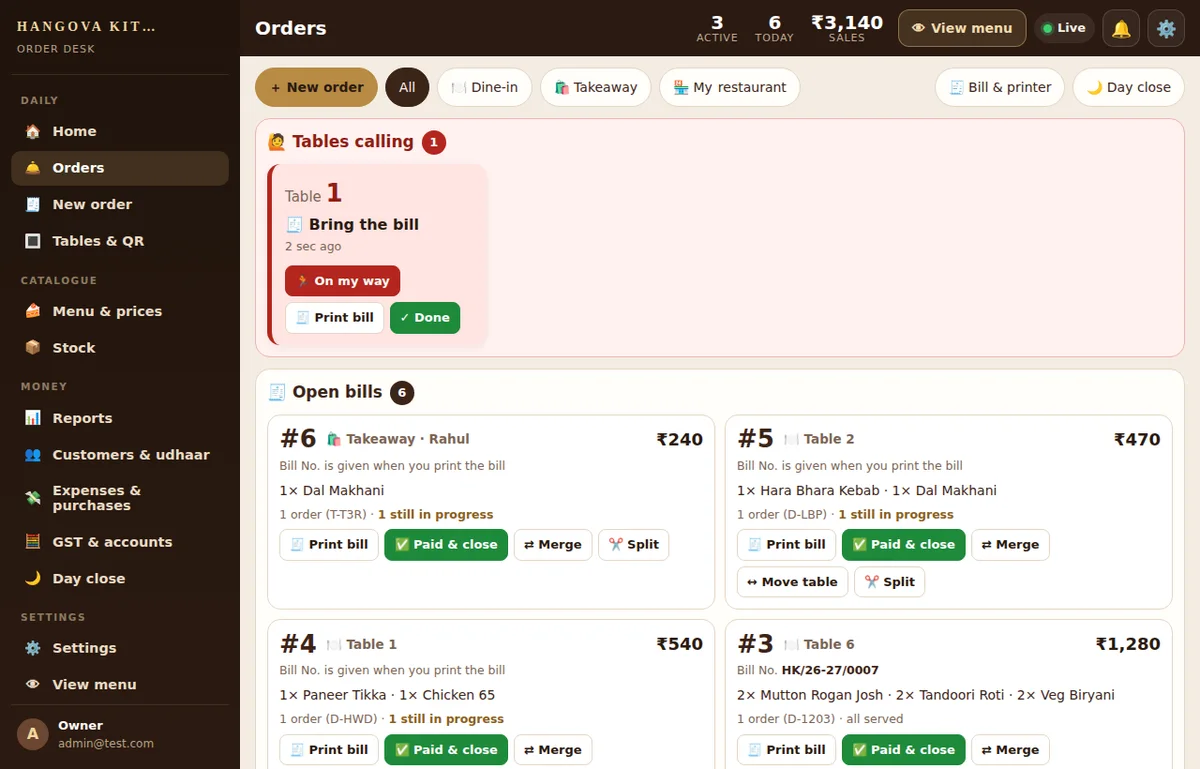
Every bill subtracts stock. Low-stock alerts, raw materials, barcodes and an Excel stock sheet.
How stock works →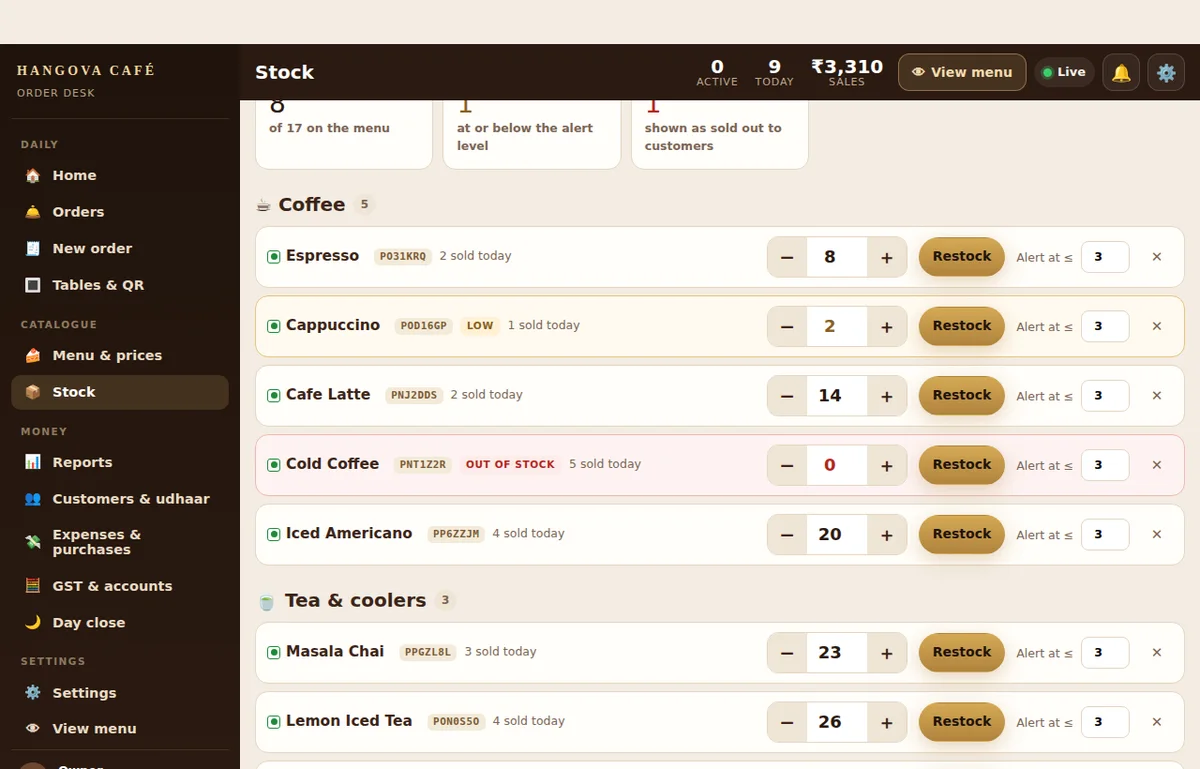
Attendance, leave, salary slips, offer letters and staff questions, for every outlet.
How payroll works →Customers book a service and a time from your link. You see the day's appointments and bill in one tap.
How salon booking works →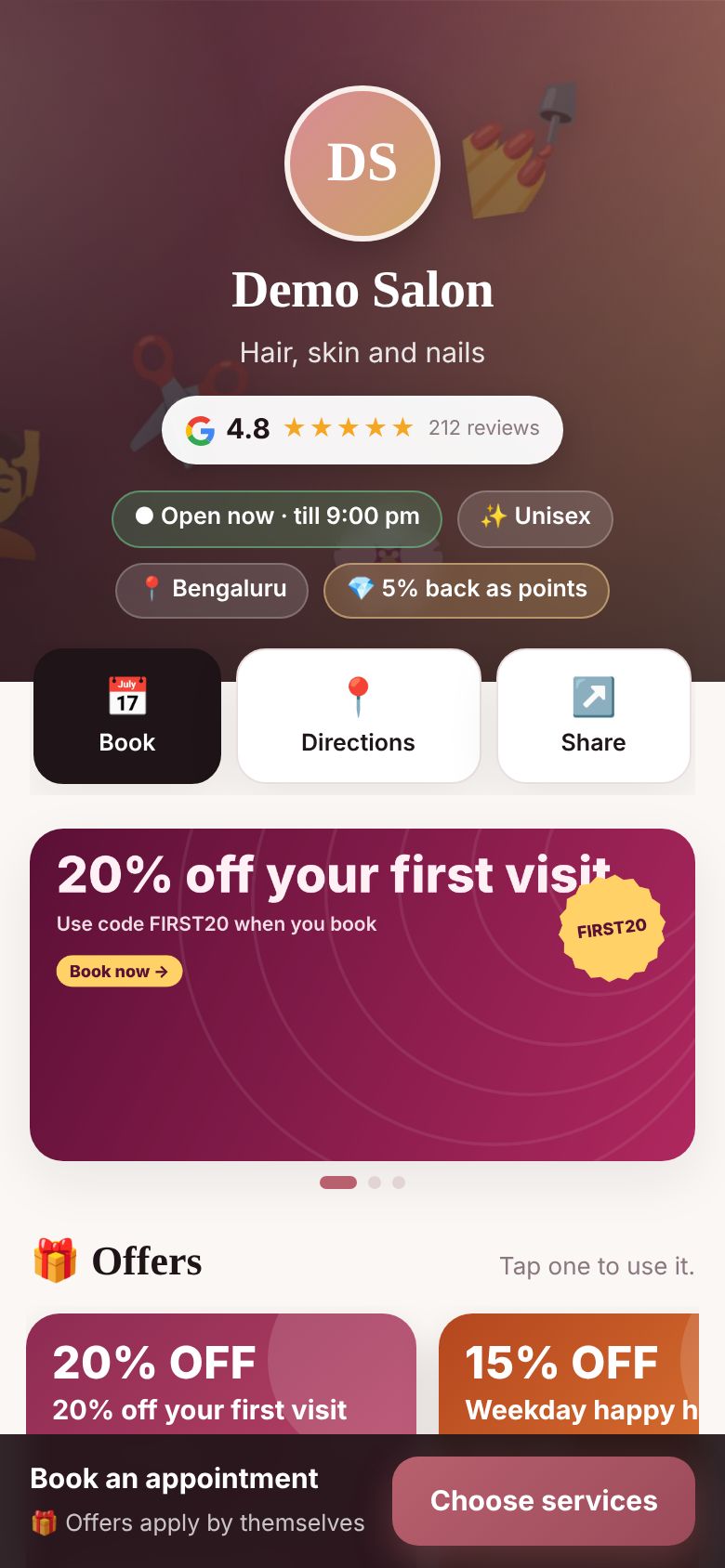
How it works
Real Hangova screens. Nothing to install: it runs on the phones, tablets and printers you already have.
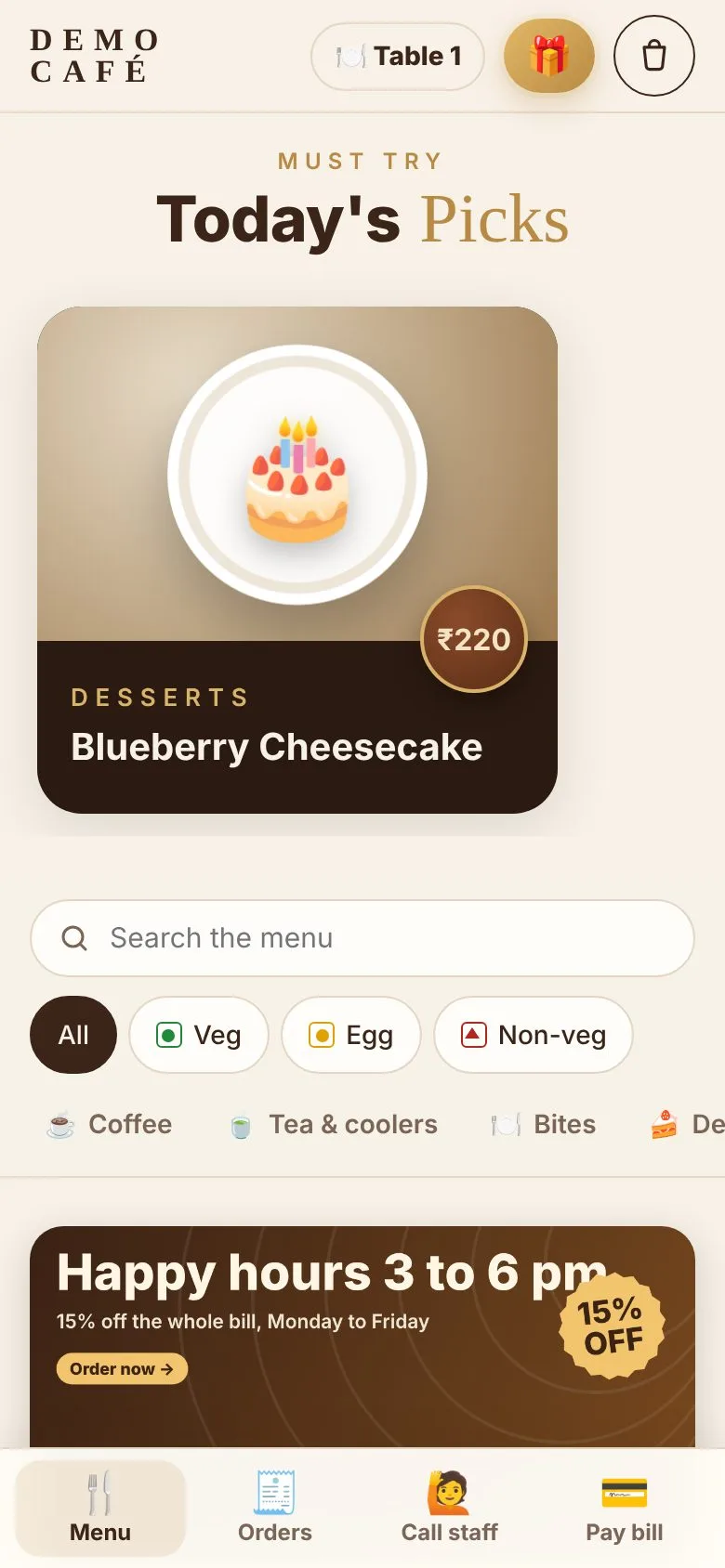
At the counter, from a waiter's phone, or by scanning the table QR.
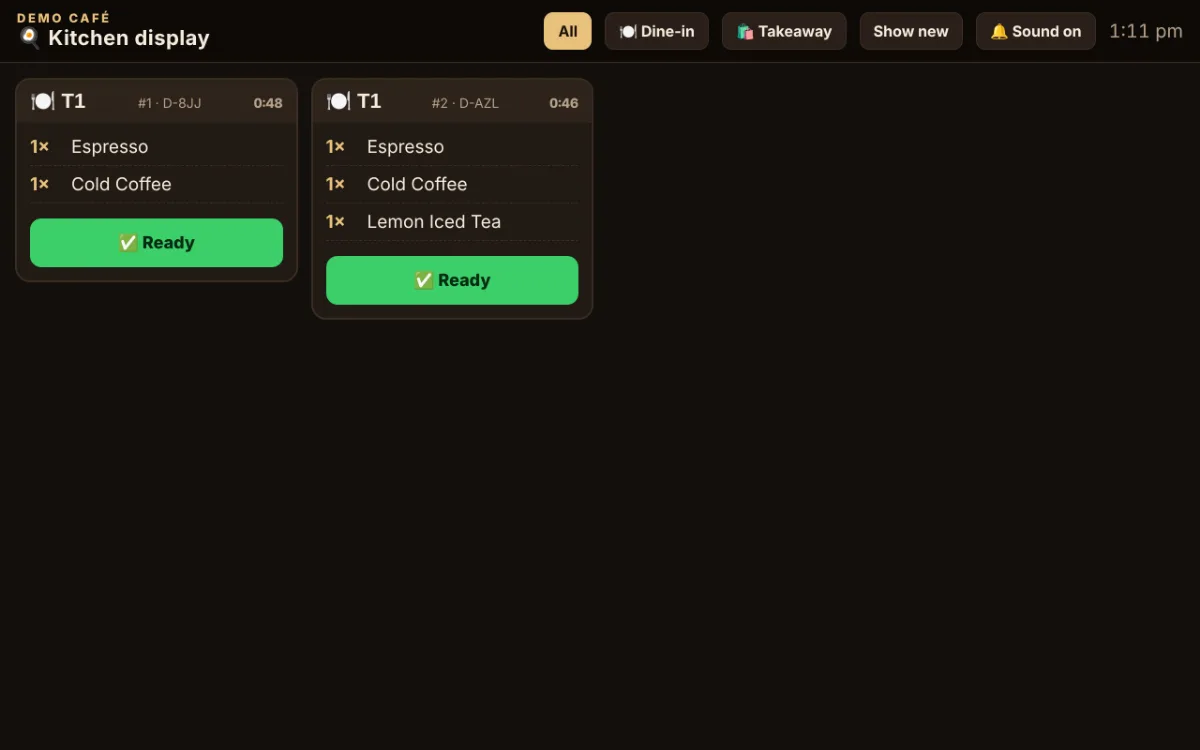
KOT prints or shows on the kitchen screen. Token TV calls the customer.
GST bill with UPI QR, on paper or WhatsApp. Cash, UPI or card.
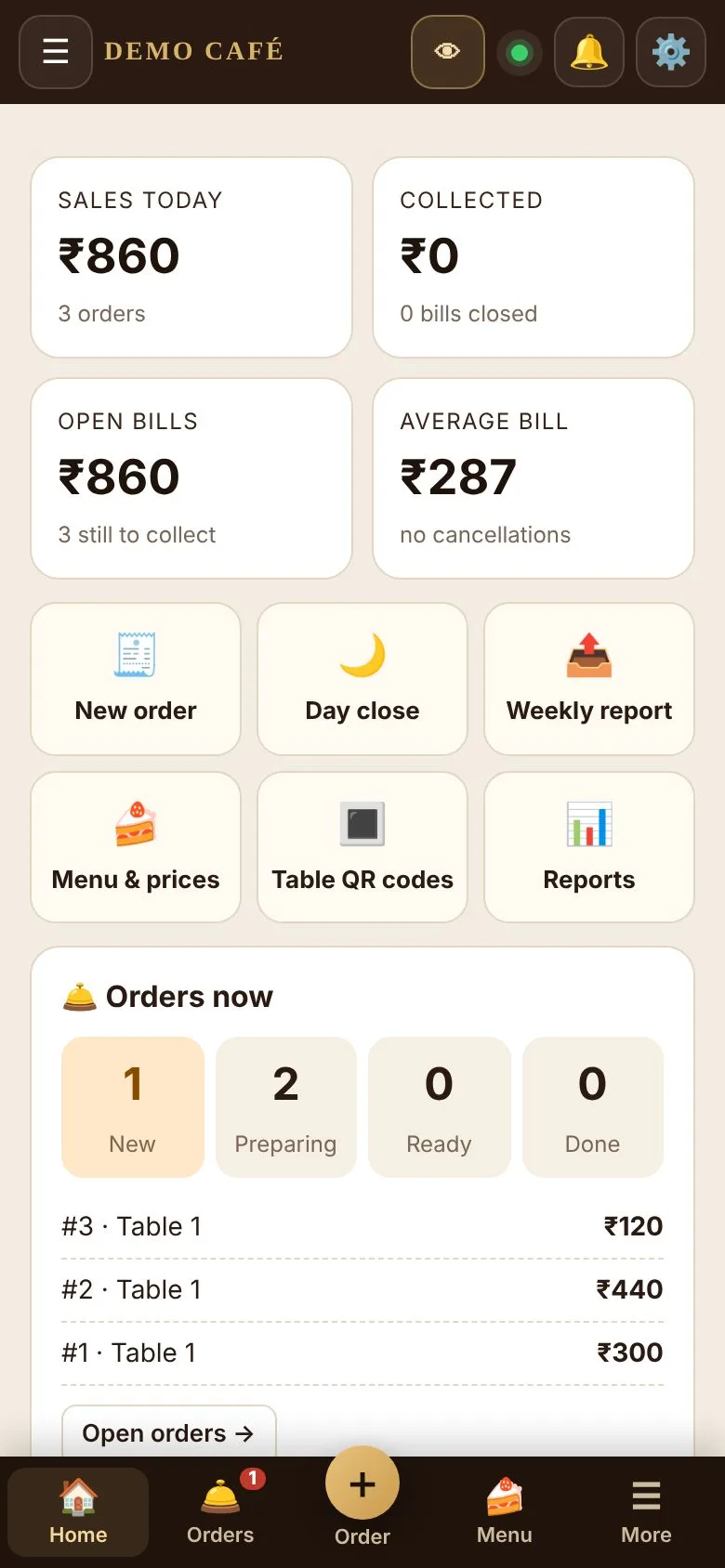
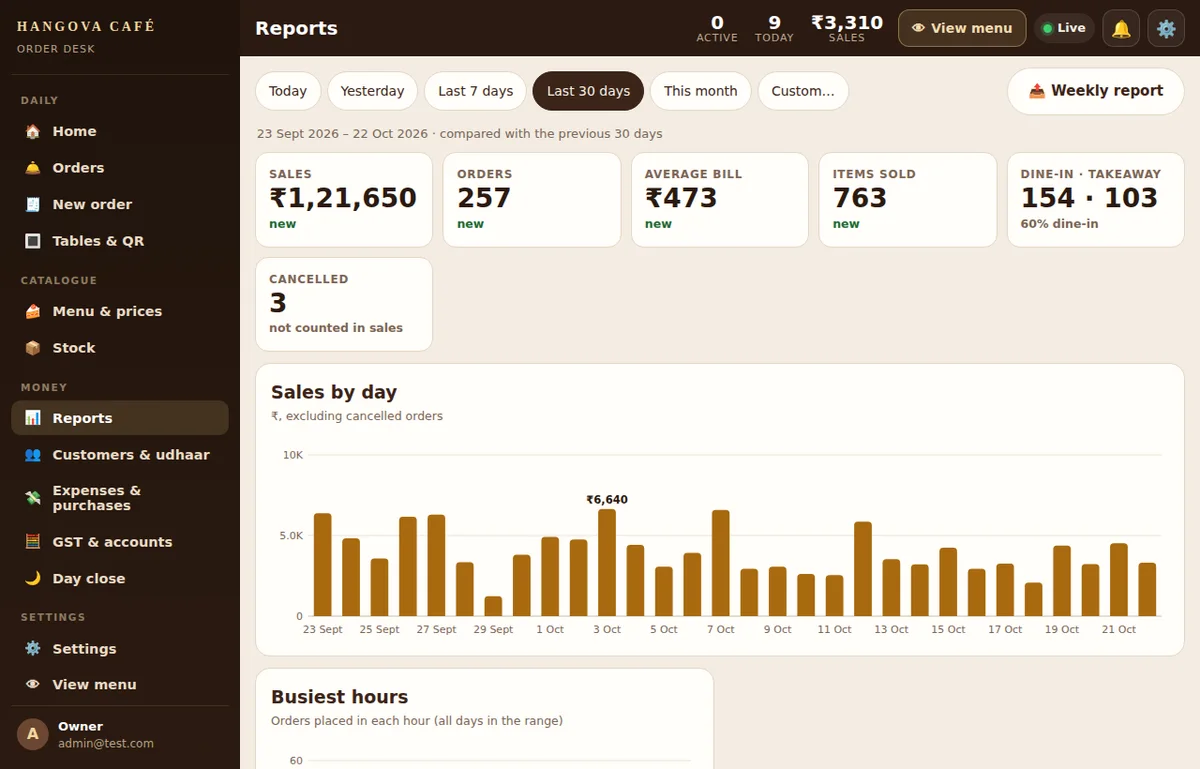
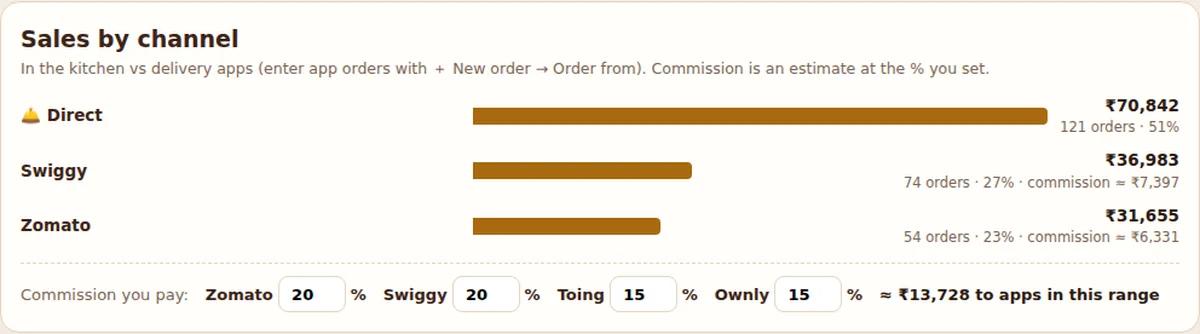
Sales, stock and every outlet on your phone, from anywhere.
Why us
Everything a business needs, without the big-POS price or the big-POS hassle.
New features every month, added free. You get them the moment they're ready, no reinstall.
One fixed price for the year, no hidden fees, and extra outlets at half price. We tell you your exact price on the demo.
Staff learn it in 30 minutes. Big buttons, works on any phone, tablet or laptop you already have.
We set everything up for you in 2 to 3 days, and the founder answers your questions himself.
How we build trust
Free demo · 15 minutes
Pick a time. We come to your place in Bengaluru or do a video call, show you Hangova with your own menu, and answer every question. No obligation.
Everything in one software
Everything below is included. Pick what you need; switch the rest off.
How it works
The guest scans the table QR, picks options and orders. They get a token and live status.
A sound and a card on every staff's phone. Accept prints a KOT for the kitchen.
One tap calls staff to the table: water, waiter or the bill.
All rounds on one bill. Split it, print it, take cash or UPI. Stock and reports update.
See it for real
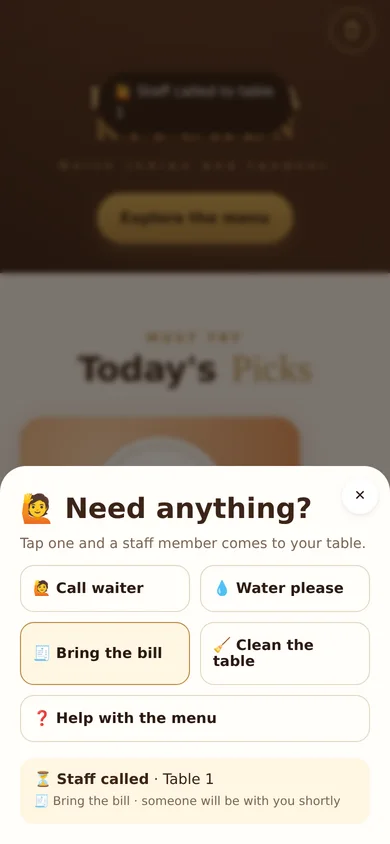
Made for your kind of business
Pricing
Other POS software sells a base plan, then charges extra for stock, QR ordering, loyalty and reports. Hangova Pro has all of it for about ₹49 a day.
Tea & juice stalls, small counters, retail shops
₹4,999 / year
or ₹499 a month · setup ₹999 once
Cafés and bakeries
₹9,999 / year
or ₹999 a month · setup ₹1,499 once
Restaurants, resto-bars, pubs and busy cafés
₹17,999 / year
about ₹49 a day · or ₹1,799 a month · setup ₹2,999 once
Founding offer: first 10 businesses get Pro at ₹12,999 for year 1₹16,500 to 26,000+ a year
₹17,999 a year, all in
Typical POS figures: add-on prices reported in Indian POS buyer guides (2026). Every product is different; compare your own quote. Extra outlets on Hangova at half the plan price. Prices exclude GST.
The people behind Hangova

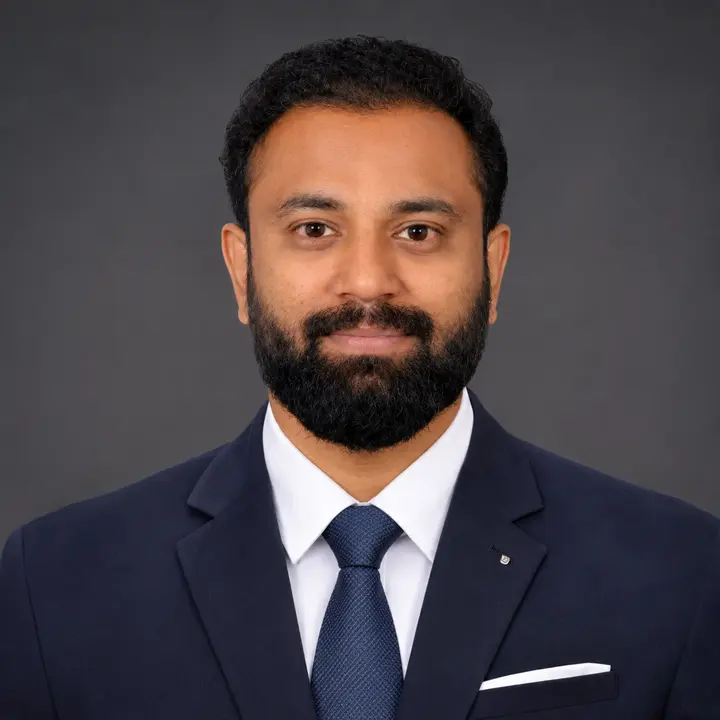
Founder
“From a single counter to a chain of outlets, every café, restaurant, shop and salon deserves tools that just work, at a price that makes sense.”
Darshan brings 7 years in process and product development: designing how work flows, then building the product around it. He started Hangova for owners who would rather spend time with their guests than with paper bills and missed orders, and designed it so a whole business runs from any phone: QR ordering, billing and GST, stock, staff and payroll.
When you join Hangova, you talk to him directly.
Co-founder · Sales & Operations
9+ years in e-commerce and quick commerce, where every minute and every order counts.
Vishal is an MBA graduate who has worked with clients in India and abroad. He brings that same speed and discipline to Hangova.
He runs sales and operations: your setup done in days, your staff trained, and your outlet running smoothly from the very first bill. Any question on plans or setup, he gets it sorted.
Interested? Let's talk
Not ready for a demo yet? Share a few details and we'll call with a plan and price for your exact setup. No spam, no pressure.
Prefer email? hangovacare@gmail.com
Refer & earn
Tell us about an owner. We call them and show them Hangova. When they start a paid plan and use it for 30 days, we pay you by UPI.
Questions? Email us at hangovacare@gmail.com.
Questions owners ask
No. Use the phone, tablet or laptop you already have. Add a small Bluetooth printer only if you want printed bills.
No. Table QR codes only work inside your shop and can be changed any time. Poster QRs only show the menu.
Yes. Switch on auto-pay in Settings → Your plan: approve it once in your UPI app (GPay, PhonePe, Paytm) or with a card, and Razorpay pays your plan each month or year. The first payment is when your free trial ends, you get an invoice by email each time, monthly auto-pay has no setup fee, and you can stop it any time. Prefer to pay yourself? That works too.
We do, with your photos, prices and options, during setup. After that you change prices and items yourself in seconds.
Yes. Bills show CGST/SGST. Shops and B2B sales get a proper tax invoice with HSN, customer GSTIN and IGST.
The staff page shows it at once and reconnects by itself when the internet is back. Keep mobile data on the counter phone as a backup.
Yes. Switch the customer menu off in Settings and Hangova becomes a fast billing, stock and accounts app. Your menu link then shows nothing to the public.
Yes. Open your staff page and tap Install. It works like an app on Android, iPhone, Windows and Mac, with its own icon, and keeps the screen awake on kitchen and token screens.
Yes. Download the stock sheet (every item has its own product ID), type today's counts in Excel or Google Sheets and upload it. Hangova shows every change before saving, and a sheet only uploads to the business it came from.
You choose when your business day ends (for example 4 am), so a sale at 1 am counts to the day you opened.
Yes. Each outlet gets its own menu link, QR codes and reports. An extra outlet is 50% of the plan.
Everything is on during the trial. At the end your staff page shows the cheapest plan for what you actually used (Starter, Growth or Pro, plus add-ons if you need one more thing). Pick it and keep going: your menu, data and settings stay exactly as they are.
Orders and sales are stored on Google Firebase. Only your staff logins can see them, and your customer data is yours.